Codecamp 2026
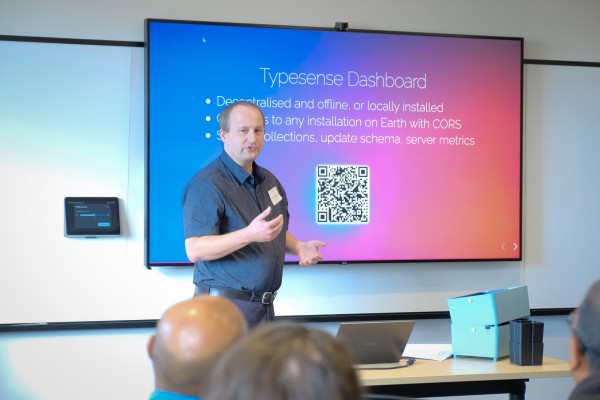
I was invited to speak about Typesense at Codecamp Wellington on 21 March 2026 at Xero and Trade Me with about 200 people in attendance. There were lots of very good talks and the crowd was very eager to learn! My slides can be viewed here.
Demos
I spoke for 45 minutes to a room of around 50 people. The talk was very similar to my Stripecon talk, with some updates to the demos
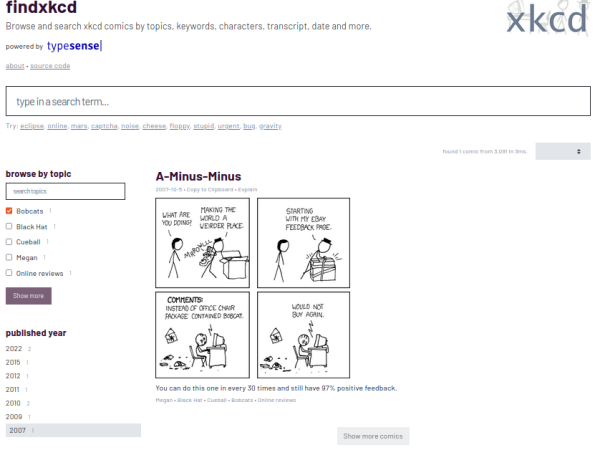
The first demonstration is a website called FindXKCD. For those unaware, XKCD is an online webcomic about math, programming, and scientific in-jokes. The Typesense community created a tool for searching the entire xkcd comic library. It is an excellent example of InstantSearch, which was originally developed by Algolia. Typesense offers an adapter that feeds data into Instantsearch in the same way that Algolia does. Findxkcd is a great way to demonstrate the ease of setting up Typesense.
As a developer, you only need to provide it with few parameters to configure the search application and InstantSearch takes care of the rest.
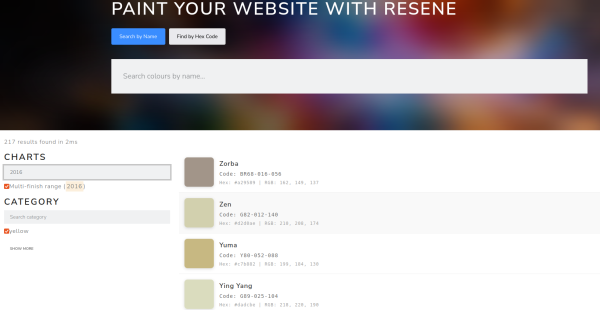
I do not know how many of you are familiar with Resene paint colours, but as a homeowner I often spend a lot of time at my local hardware store looking at paint swatches and daydreaming about all the colours I would like to paint my home… if only I had enough walls!
I used Typesense to build a tool that helps me name my SASS variables after Resene colours. I think about a descriptive name for colours, every time I examine a styleguide, before I start implementing a theme on a website.
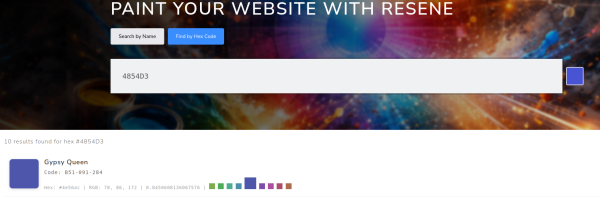
I tend to know the Resene colors fairly well, but what I do not know is the hex value for those colors. On Resene's website, I found a spreadsheet that maps all of those colors to RGB values, so I wrote a method that converts those to hexadecimal. Now, I can search for a color to get the hex code, that hex code tells me the title of the color I can use to name my SASS variable!
A new addition to this demo is a nearest-neighbour search. You can optionally supply a hex code, and Typesense will suggest the nearest colour based on cosine similarity. This is done internally by Typesense using a vector search with num_dims set to 3, which is generated at index time and stored in the collection.
I used this tool to select the colours used on my slide deck. Using Trade Me's Blurple (#4854D3) as an example, the nearest match was Gypsy Queen. Fugitive and Smitten were the nearest hue-shifted colours identified by the tool
This demo shows Typesense's automatic scaffolding and a vector search
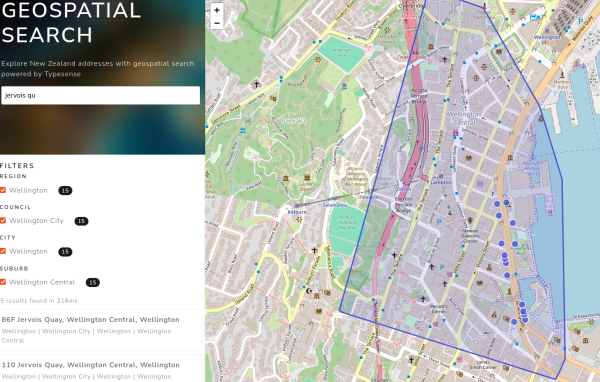
I created an address tool that will allow you to rapidly search through all of New Zealand’s 2.4M addresses, which is based on freely available data from Land Information New Zealand. It uses Instantsearch to handle the search, but also emits the geographic points to be displayed on a map powered by Leaflet. You can search for a full address to get immediate results across the entire country, and drill down into Region, Council, City, and Suburb facets. When the suburb facet is selected, a polyline is drawn around the cluster of addresses in that suburb.
This collection utilises geopoints and nested objects for its schema.
One of the biggest drawbacks of implementing an authenticated search is leaking information. Search indexes necessarily have to crawl masses of privileged data in an unprivileged way. Users can search for information they might not have access to, and just being in the index is enough to disclose that information. Enter scoped search, where users can only search on information that their API key allows.
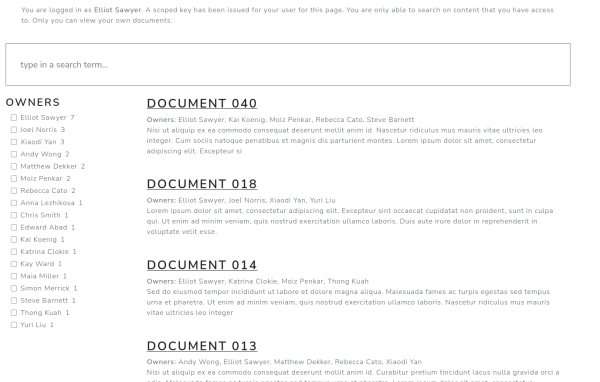
I implemented a basic scoped search page with a handful of protected documents. Every speaker at the conference gets an account on the Silverstripe website, and Typesense issues a key for each one of their accounts when they log in. There is a protected section of the website, and Typesense has indexed every page in that section. Each page has at least one user uniquely assigned to it, and most pages have multiple users.
The schema for this collection uses Typesense’s nested objects. While the documents are filtered and protected by the user’s ID, I am also able to store basic attributes of the Member object in the results, so I can display the user’s name in the results and facet the results by name. Every user gets a unique key with a search filter cryptographically embedded in it.
Recently I got an audiobook for free from Audible.com. I love audiobooks because they allow me to listen to them while I cannot necessarily bury my nose in a book. I can use them while I’m driving, walking my dog, having a shower, or even just sitting by myself in a dark room. This is great, but I have trouble learning from sound alone. For me, I need to look at the text of a book and actually see what I am hearing in order to learn the material. This particular book however, was audio only and did not come with a PDF. Obviously, I needed to solve this problem.
With a bit of open-source software from OpenAI called Whisper, I got a transcript of the book faster than I could listen to the book myself. That in itself is really cool, but I noticed that it produced the transcript as a tab-separated file that Typesense was able to easily index. So, I wrote a quick script that parsed that transcript line-by-line and fed it into a Typesense collection. The result is that I am able to search for WHEN in an audiobook my search term is mentioned.
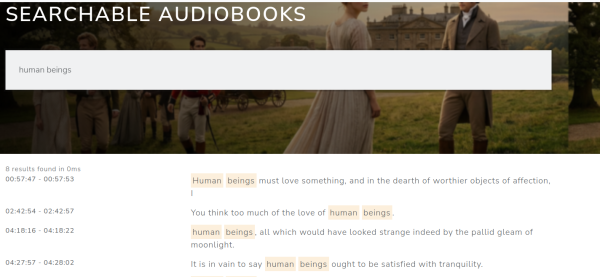
Since I cannot publicly demonstrate a copyright protected audiobook, for this demo I obtained a Jane Eyre audiobook from Librivox.org. After using Whisper on the MP3, I have a searchable transcript of the audiobook. If you search for “human beings must love something”, you will find that the quote starts at 57 minutes and 47 seconds. If I open VLC and skip to that moment, you will hear precisely when in the audiobook that quote occurs.
I really love this application because it works for any audio source I need a transcript for, even ones that have poor quality audio. Before I agreed to do the talk, I presented in an office about Typesense first. That talk was recorded, but there was an issue with the microphone that produced unusable audio. Humans had a really hard time hearing it, but when I ran the video through Whisper the AI detected it nearly perfectly, and produced a transcript that I was able to use to re-record the audio and dub it over that video
There's no magical Typesense features being used on this demo, just a basic InstantSearch application. The star of this show was Whisper, and its ability to speed-read an 18-hour audiobook and produce a transcript.